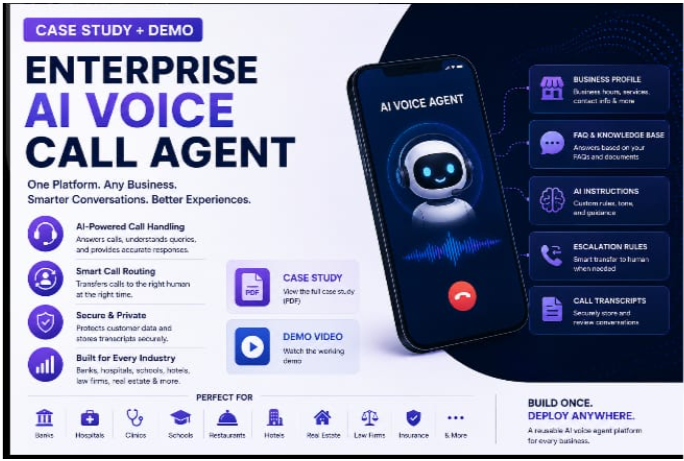
In Simple Words
A business needed a way to answer every incoming phone call automatically, any time of day, without hiring a full-time receptionist — and without forcing callers through frustrating "press 1 for this" menus.
We built an AI phone assistant that has a natural spoken conversation with callers, answering their questions using each business's own information. A simple control panel lets a non-technical person add new businesses, set their hours, and update frequently asked questions, and every call is automatically saved as a written record afterward.
The system was tested and proven on real, live phone calls to a real working number, successfully holding full conversations from start to finish — and the entire solution was built without spending any money on paid tools or subscriptions.
Overview
Voice AI Agent is a reusable AI phone receptionist that answers incoming calls automatically, using natural conversation rather than a rigid IVR menu. It's built as a genuine multi-tenant system — one deployable backend serves any number of businesses, each with its own phone number, hours, FAQs, and AI behavior instructions, configured entirely from a simple admin panel rather than hardcoded per client.
The whole system — call handling, business data, transcripts, and the admin UI — lives in one Node.js/Express app backed by a single SQLite database file, which keeps it free to run and simple to reason about.
The Problem
A client needed a system to handle incoming phone calls with an AI agent instead of a human receptionist, with several constraints that had to be satisfied together:
Natural conversation, not IVR menus
The AI had to answer calls automatically and hold a real conversation — not force callers through "press 1 for..." trees.
Reusable across multiple businesses
The system couldn't be hardcoded for one company. Each business needed its own name, phone number, hours, FAQs, and custom AI instructions.
A non-technical admin panel
A non-technical person needed to add, edit, and delete businesses — entering info, hours, FAQs, and AI behavior per business, and assigning a phone number to each.
Transcripts for every call
Every call needed to produce a saved transcript, and optionally a call recording, so nothing said on a call was ever lost.
Zero budget, no card-based signups
No bank or credit card details could be provided anywhere. The whole solution had to run on free or trial tiers, using an OpenAI API key the client already had.
In short: build a reusable, multi-tenant AI phone receptionist with an admin backend, deliverable on a $0 budget with no card-gated signups.
The Solution
A single Node.js + Express application does two jobs at once: a voice webhook backend that receives call events from Twilio, looks up which business owns the dialed number, builds an AI prompt from that business's configured instructions and FAQs, gets a reply from OpenAI, and speaks it back turn by turn — and a password-protected admin panel, served by the same app, to manage businesses and browse saved call transcripts.
Caller's phone
     │  dials Twilio number
     ▼
Twilio (telephony + built-in speech-to-text + text-to-speech)
     │  POST webhook (per call turn)
     ▼
Node.js / Express backend
     ├─ Business lookup (by dialed number, in SQLite)
     ├─ Business-hours check (open/closed greeting)
     ├─ Build system prompt (business instructions + FAQs)
     ├─ Call OpenAI Chat Completions (gpt-4o-mini) for a reply
     └─ Return TwiML (<Say> the reply, <Gather> the next thing caller says)
     │
     ├─ On call end → save full transcript (+ recording URL if enabled) to SQLite
     ▼
Admin Panel (same Express app, session-authenticated)
     ├─ Business CRUD (name, phone number, greeting, AI instructions, hours, FAQs)
     └─ Transcript list + detail view (with recording playback link)
Everything was picked specifically because it required no credit card and had a usable free/trial tier, while staying production-realistic rather than a toy: a Twilio trial account for telephony plus its built-in speech-to-text and text-to-speech, OpenAI's gpt-4o-mini as the conversational "brain," SQLite for zero-setup storage, and ngrok to tunnel a local backend to Twilio during development.
How It Was Built
The build moved through seven steps, each laying groundwork the next one depends on — from picking a free-tier stack through the data model, the call-handling loop, the AI layer, the admin panel, business-hours logic, and finally a real verification loop over an actual phone call.
1. Chose a Free-Tier-Only Stack
A Twilio trial account for the phone number and telephony (no card, ~$15 trial credit), Twilio's built-in speech-to-text and text-to-speech (Amazon Polly voice) included in the per-minute call cost, OpenAI gpt-4o-mini as the cheapest capable chat model, SQLite via better-sqlite3 for zero-setup storage, and ngrok for local tunneling — proving the whole concept end to end for real, live calls at $0 cost.
2. Designed the Data Model
Two SQLite tables: businesses (name, unique phone number for call routing, greeting, AI instructions, per-weekday hours as JSON, FAQs as a JSON array), and call_transcripts (business, Twilio call SID, caller number, start/end time, full turn-by-turn transcript, recording URL).
3. Built the Call-Handling Flow
A turn-based webhook loop: /voice/incoming looks up the business by dialed number and speaks an open/closed greeting; /voice/respond fires on every caller turn, appends speech to the conversation, asks OpenAI for a reply using that business's instructions and FAQs, and speaks it back — looping until the caller says goodbye; /voice/status closes out the transcript when the call ends. A friendly fallback message covers any failed OpenAI call so a bad response never breaks the call.
4. Built the AI Layer
A single function assembles a per-business system prompt at call time — the AI's role, the owner's free-text instructions, the FAQ list, and voice-specific rules (keep replies short, since this is spoken not typed, and admit when it doesn't know something). All business customization lives in the database, editable from the admin panel — the same backend serves every business with zero code changes.
5. Built the Admin Panel
A server-rendered EJS UI, session-authenticated, covering login, a business dashboard, a per-business edit form (info, hours, FAQs), and a transcript list with detail view. A parallel JSON REST API exposes the same data behind the same session auth.
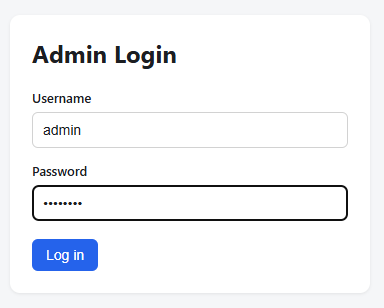
Admin Login — Session-Authenticated Access
A simple login screen gates the whole admin panel behind express-session — no business data or call transcripts are reachable without signing in first.
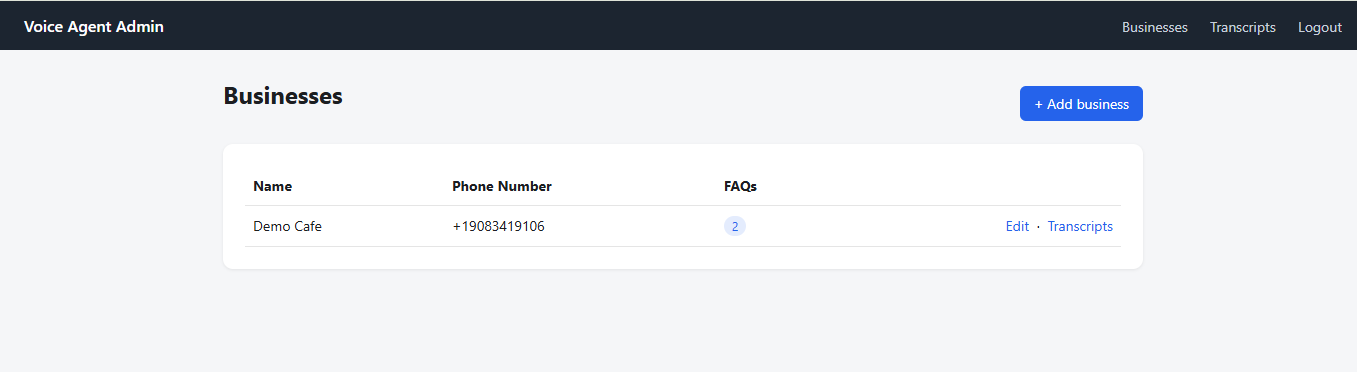
Business Dashboard — All Businesses at a Glance
Lists every business the backend currently serves, with its phone number and FAQ count, plus one-click links to edit that business or jump straight to its call transcripts.
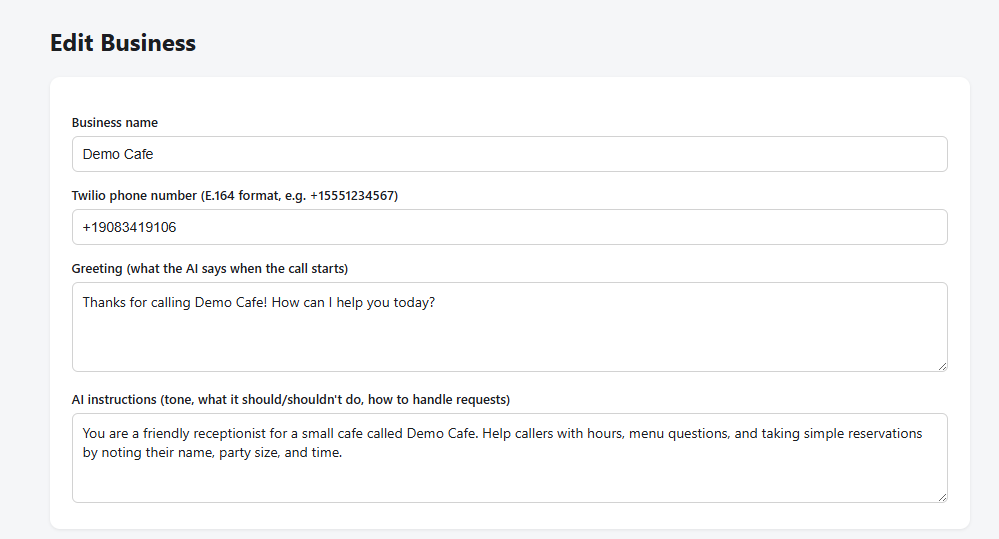
Edit Business — Greeting & AI Instructions
A per-business form for the phone number, the greeting the AI opens each call with, and free-text AI instructions that shape tone and behavior — read straight into the system prompt at call time.
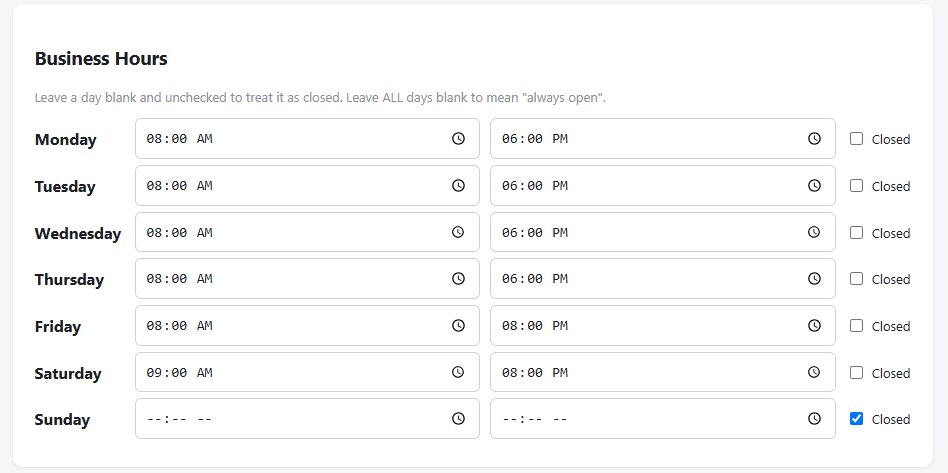
Business Hours — Per-Weekday Schedule
Each weekday gets its own open/close time or a "closed" toggle, feeding directly into the business-hours logic that decides whether callers hear an open or closed greeting.
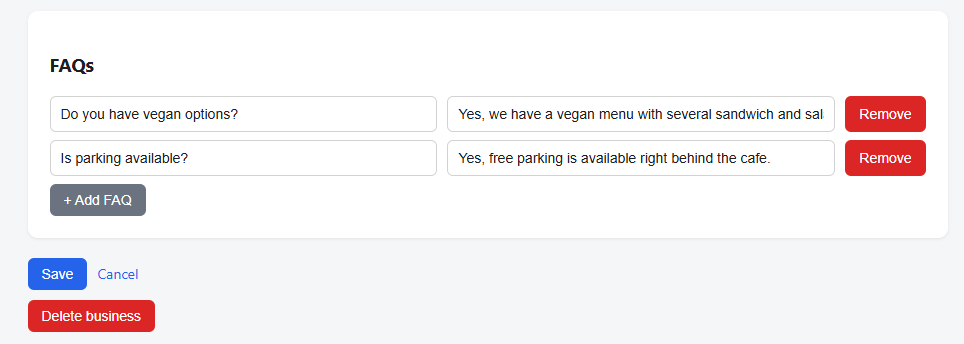
FAQ Management — Question & Answer Pairs
A dynamic list of FAQ question/answer pairs per business, editable inline and injected into the AI's system prompt so it can answer common questions accurately instead of guessing.
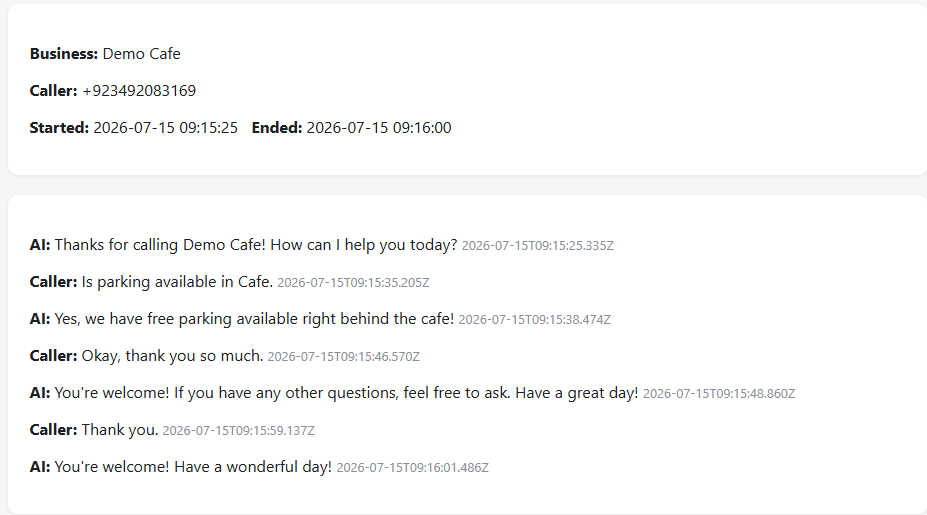
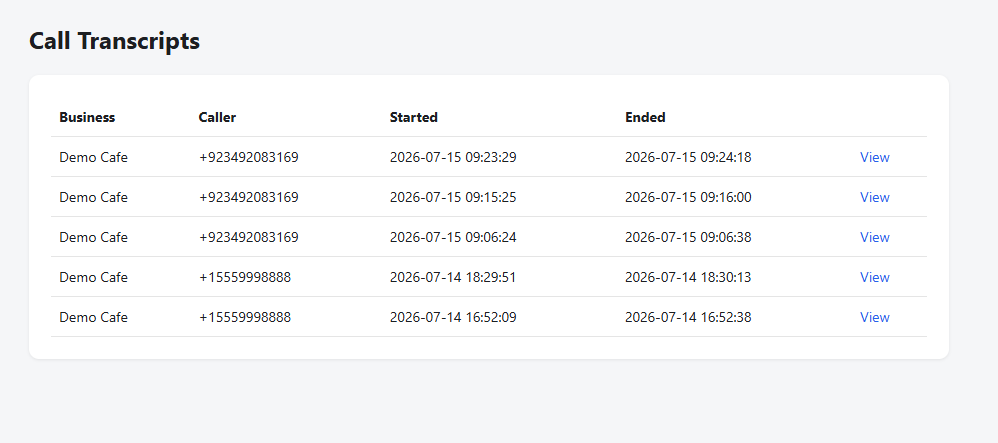
Call Transcripts — Every Call Logged
Every completed call appears here with the business, caller number, and start/end timestamps, with a detail view one click away for the full turn-by-turn conversation.
6. Business-Hours Logic
A small pure function interprets the per-day JSON schedule against the current server time to decide whether the caller hears an "we're open" or "we're currently closed, but I can still help" greeting. If no hours are configured, the business defaults to always open rather than blocking calls.
7. Local Development & Verification Loop
With no paid hosting, the app runs locally and is exposed via an ngrok tunnel that Twilio's webhook points at. Verification was a real phone call to a real Twilio number, routed through the real OpenAI model, with the resulting transcript checked in the admin panel afterward — not a simulated test.
Key Engineering Decisions
Business-specific behavior lives in the database, not in code.
Every business's greeting, AI instructions, FAQs, and hours are rows in SQLite, editable from the admin panel. The webhook backend never branches on which business is calling — it just reads that business's configuration and builds a prompt from it, so onboarding a new business is a data-entry task, not a deployment.
In-memory conversation state, deliberately scoped to a single instance.
Active-call conversation history is kept in a simple in-memory Map keyed by Twilio's call SID — sufficient for a single-instance MVP, and explicitly noted in the code as something to move to Redis if the app ever runs on multiple instances, rather than over-engineering shared state for a free-tier demo.
Toggleable Twilio-signature validation.
An optional signature-validation middleware guards the voice webhook endpoints, switchable via an environment flag — off for local ngrok testing, on in production — so security isn't sacrificed for developer convenience during the demo phase.
Outcome
The delivered system meets every requirement from the original brief on a $0 budget:
Natural, Turn-Based Conversation
Fully Reusable Multi-Business Config
Non-Technical Admin Panel
Every Call Transcript Saved
Zero Card Details Required
Verified on a Real Working Number
Verified against a real, working phone number (+1 908 341 9106) making real calls through Twilio and OpenAI — not a mocked-up demo.
Known Limitations of the Free/MVP Version
Stated deliberately — intentional trade-offs of building on free tiers, not hidden gaps:
Turn-based conversation, not real-time streaming — the caller can't interrupt the bot mid-sentence. The single biggest UX gap versus a real call-center agent.
A "you have a trial account" disclaimer plays before each call until the Twilio account is upgraded to paid.
Call volume is bounded by Twilio's ~$15 trial credit — fine for demos, not sustained real traffic.
The app runs on a local machine tunneled through ngrok, not a persistent cloud server.
Twilio's built-in speech-to-text is decent but not as strong as a dedicated model (Whisper/Deepgram) for accents or noisy audio.
gpt-4o-mini handles straightforward FAQs well but can be less reliable on complex, nuanced business rules than larger models.
Conversation state is single-instance in-memory — would need a shared store like Redis if ever scaled horizontally.
No recording-consent disclaimer yet — a spoken "this call may be recorded" notice is needed for legal compliance once recording is enabled in production.
Production Upgrade Path
Prioritized by impact, for when budget is available:
- Real-time streaming architecture (Twilio Media Streams + OpenAI Realtime API) — the biggest single quality jump, turning the interaction into a natural, interruptible conversation.
- Twilio paid account — removes the trial disclaimer and unlocks real call volume (~$1/month per number + ~$0.0085/min).
- Better speech-to-text (OpenAI Whisper or Deepgram) for improved accuracy on accents and noisy environments.
- Better text-to-speech (OpenAI TTS or ElevenLabs) for a more natural, less robotic voice.
- Larger LLM (
gpt-4o / gpt-4.1) for complex or nuanced business rules.
- Paid hosting (Render/Railway/Fly.io) — always-on, no cold starts, required once real-time streaming needs a persistent WebSocket.
- Managed Postgres (Supabase/Neon) in place of SQLite for better concurrency and backups as call volume grows.
- Dedicated recording storage (S3) with a retention policy, instead of relying on Twilio's default storage.
- Error monitoring (e.g. Sentry) so failures are visible once real customers are calling.
Technologies Used
| Purpose | Technology | Why |
|---|
| Backend runtime | Node.js | Simple, single-language stack |
| Web framework | Express.js | Minimal, handles both webhooks and admin UI |
| Server-rendered views | EJS | No separate frontend build for the admin panel |
| Sessions / auth | express-session | Simple cookie-based session for single-admin login |
| Database | SQLite via better-sqlite3 | Zero-setup, file-based, free, synchronous API |
| Telephony | Twilio (trial account) | Phone number, call routing, built-in STT/TTS under one free trial |
| AI / conversation | OpenAI API, gpt-4o-mini | Already-available API key; cheapest capable model for FAQ-style conversation |
| Local tunneling | ngrok | Exposes the local backend to Twilio's webhooks without deploying anywhere |
| Config | dotenv | API keys, admin credentials, and secrets kept out of source code |
Need an AI Phone Receptionist for Your Business?
We build custom AI voice agents, multi-tenant admin panels, and call-transcript systems tailored to how your business actually handles calls.