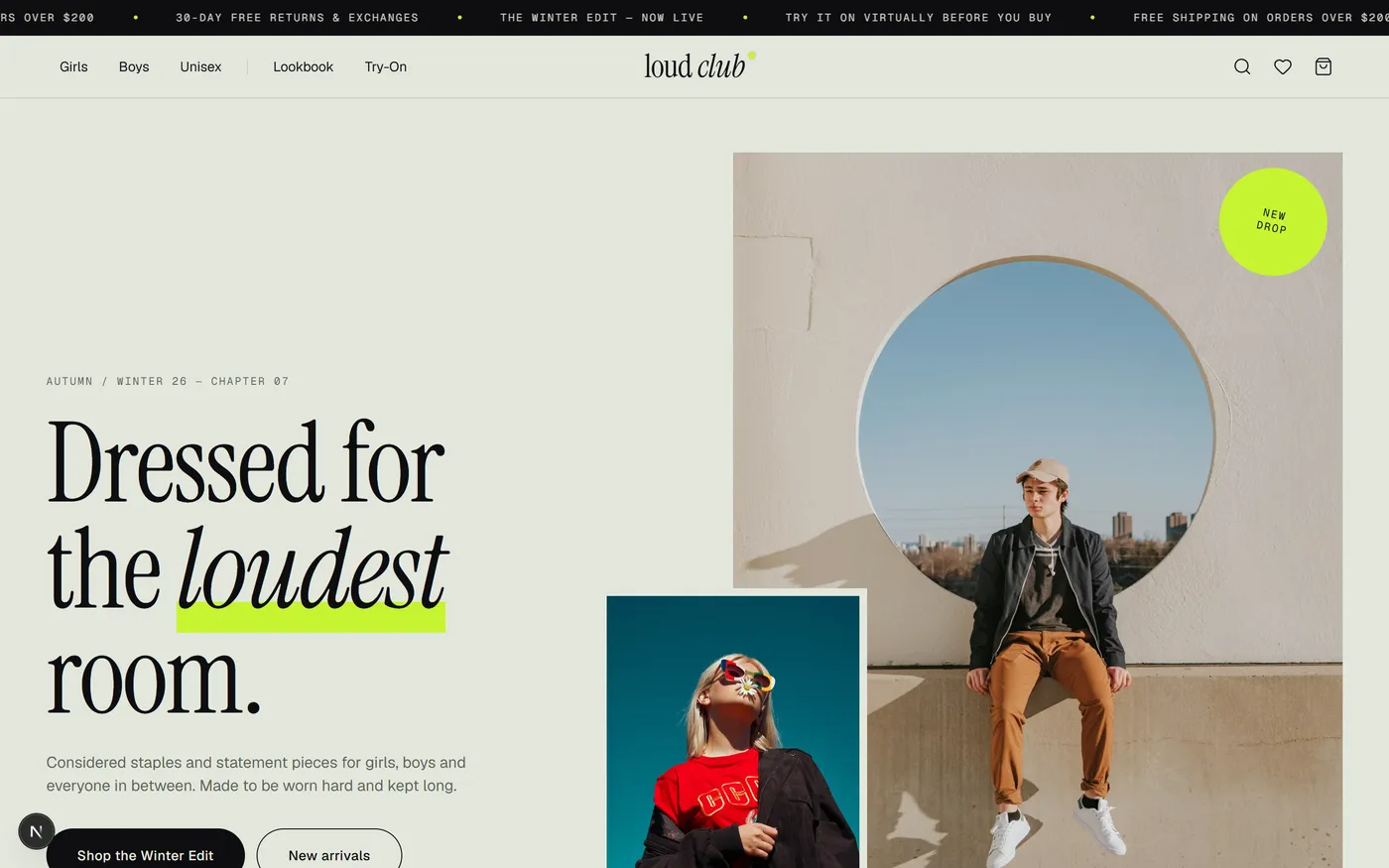
In Simple Words
Online clothes shopping has one big problem: you can't tell how something will actually look on you until it arrives. The photos are of a model, not you — and returns because "it didn't look like the picture" are one of the biggest hidden costs in fashion e-commerce.
So we built a store where you can genuinely try the clothes on yourself, in your browser, before buying anything. Upload a photo or turn on your camera, and the site finds your shoulders and places the garment on your actual body — no app to install, no account needed, and your photo or camera feed never leaves your device. It also asks your height and weight and tells you which size to pick, shows stock changing in real time ("only 3 left", "just sold out"), and lets you return anything through a self-serve portal that hands you a QR code instead of a support queue.
It's a demo storefront — there's no real backend, database or payment processor behind it — but every feature genuinely works end to end, including the computer vision.
At a Glance
| Metric | Value |
|---|
| Products | 32 across 11 categories (tees, knitwear, outerwear, shirts, tailoring, denim, trousers, dresses, bags, headwear, footwear) in 3 collections — Girls, Boys, Unisex |
| Routes | Home, Shop, Shop by collection, Product, Virtual Try-On, Lookbook (7 chapters), Cart, Checkout, Checkout success, Returns portal, Wishlist, 404 |
| Source Size | ~8,800 lines of TypeScript/TSX, 51 statically generated pages at build time |
| Signature Module | lib/pose.ts + lib/try-on.ts — on-device pose detection and the shoulder-fit placement geometry |
| Backend | None — state lives in the browser (localStorage), demo data |
| Payments | Card only, Luhn-style validated, simulated — no real processor connected |
| Status | Open source on GitHub — production build passes lint and type-check with zero errors |
Architecture Highlights
On-Device Computer Vision (MediaPipe WASM)
Geometry-Driven Garment Placement
6 Persisted Zustand Stores
Derived Live-Stock Simulation
Hydration-Safe Client State
Server/Client Component Split
Pure-Function Returns Logic
Overview
loud club is a fashion storefront for girls, boys and unisex essentials — tees, knitwear, outerwear, tailoring, denim, dresses, bags, headwear and footwear — built as a client-presentation piece for the Yveloxy portfolio. It runs on Next.js 16 with the App Router, and its centrepiece is a virtual try-on studio that runs real pose detection — Google's MediaPipe Pose Landmarker — entirely inside the visitor's browser, not on a server.
It is live at loud-club.vercel.app, with the source public on GitHub. It covers the entire shopping journey — discovery, product detail, cart, checkout, wishlist — and adds three features that go well beyond a typical storefront demo: the virtual try-on studio, an anthropometric size recommender and a fully modelled returns & exchange portal with QR handoff.
The Problem
Fashion e-commerce has a trust gap that most stores paper over instead of solving:
Sizing Anxiety
Product photos show a model's body, not the shopper's. "Will this actually fit me?" is the single biggest reason carts get abandoned and delivered orders come back.
Fit-Related Returns Eat Margin
A large share of apparel e-commerce returns are about fit and expectation, not damage — the exact category a shopper could self-correct before checkout if they had a way to see it on themselves.
"Virtual Try-On" Usually Means a Filter
Most try-on demos are Instagram-style filters that don't reason about the shopper's actual body proportions or track them if they move.
Static "In Stock" Badges Undersell Scarcity
A flat "in stock" label creates no urgency and gives no signal when something a shopper wants is about to sell out — or has just come back.
Returns Are Usually a Support Ticket
Mail-in returns behind an email or phone queue discourage a first purchase from a new brand just as much as bad sizing does.
The Solution
A storefront that answers each of those problems directly, with virtual try-on and self-serve returns as first-class UX rather than an afterthought:
| Step | What the Shopper Gets |
|---|
| Home | Editorial hero, collection grid (Girls / Boys / Unisex), lookbook teaser strip, four core promises (size recommender, live stock, virtual try-on, 30-day returns) |
| Shop | Collection and category filters, colour and size facets, price ceiling, sort orders, URL-synced state, per-card wishlist heart and low-stock badges |
| Search | Header search overlay with live-filtered results across name, tagline, category, tags and colour, plus popular-search suggestions and a full results fallback |
| Product | StyleZoom swipeable/grid gallery with a full-screen lightbox, size guide with a recommender, live "people viewing" and live stock, Complete-the-Look cross-sell, related products |
| Virtual Try-On | Pick any try-on-enabled piece, choose a backdrop — dress form, sample model, your own photo, or live camera — and watch the garment auto-fit to detected shoulders, with manual size/rotate/opacity fine-tuning and a "save look" PNG export |
| Lookbook | Seven shoppable editorial chapters, each linking its story to the exact products styled in it |
| Cart & Checkout | Cart drawer and full cart page, promo codes, free-shipping progress, a 3-field checkout with Luhn-validated card entry and a one-click demo autofill |
| Returns & Exchanges | 3-stage self-serve flow — find order → choose items and resolution → confirm — ending in a QR code and a status tracker, with per-line refund math shown live |
| Layer | Technology |
|---|
| Framework | Next.js 16 (App Router) · React 19 |
| Language | TypeScript 5 |
| Styling | Tailwind CSS 4 with sage / acid-lime / cobalt design tokens · Geist Sans & Mono + Instrument Serif via next/font |
| State | Zustand 5 — six independent stores (cart, wishlist, fit profile, returns, orders, UI/stock), several with persist middleware |
| Computer Vision | @mediapipe/tasks-vision — Pose Landmarker Lite, WASM, GPU delegate with CPU fallback |
| Icons | lucide-react |
The Storefront, Screen by Screen
Captured directly from the running application:
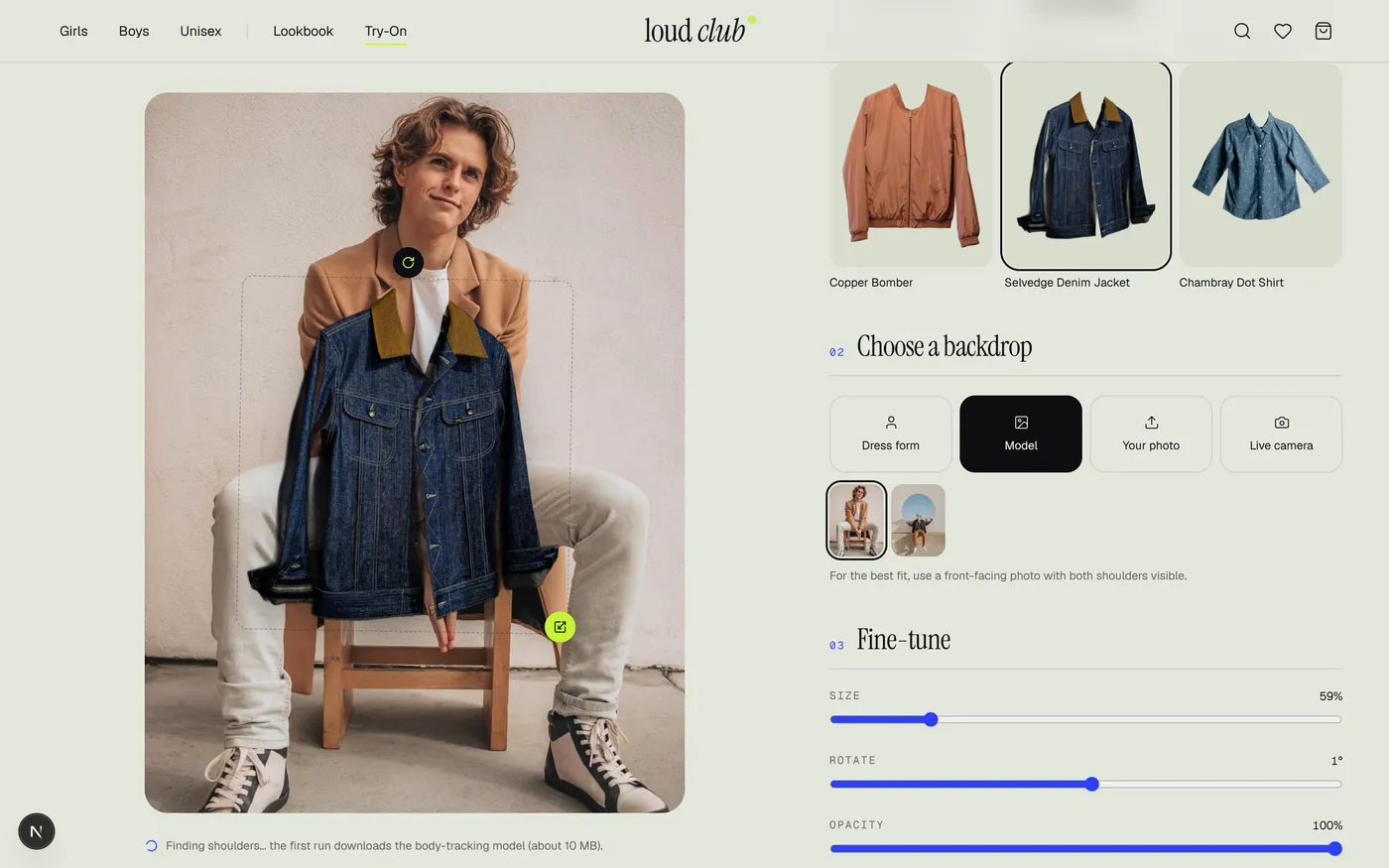
Virtual Try-On, Fitted to a Photo — pick a backdrop and the garment auto-fits to the detected shoulders in real time; the size, rotate and opacity sliders on the right let a shopper fine-tune it by hand.
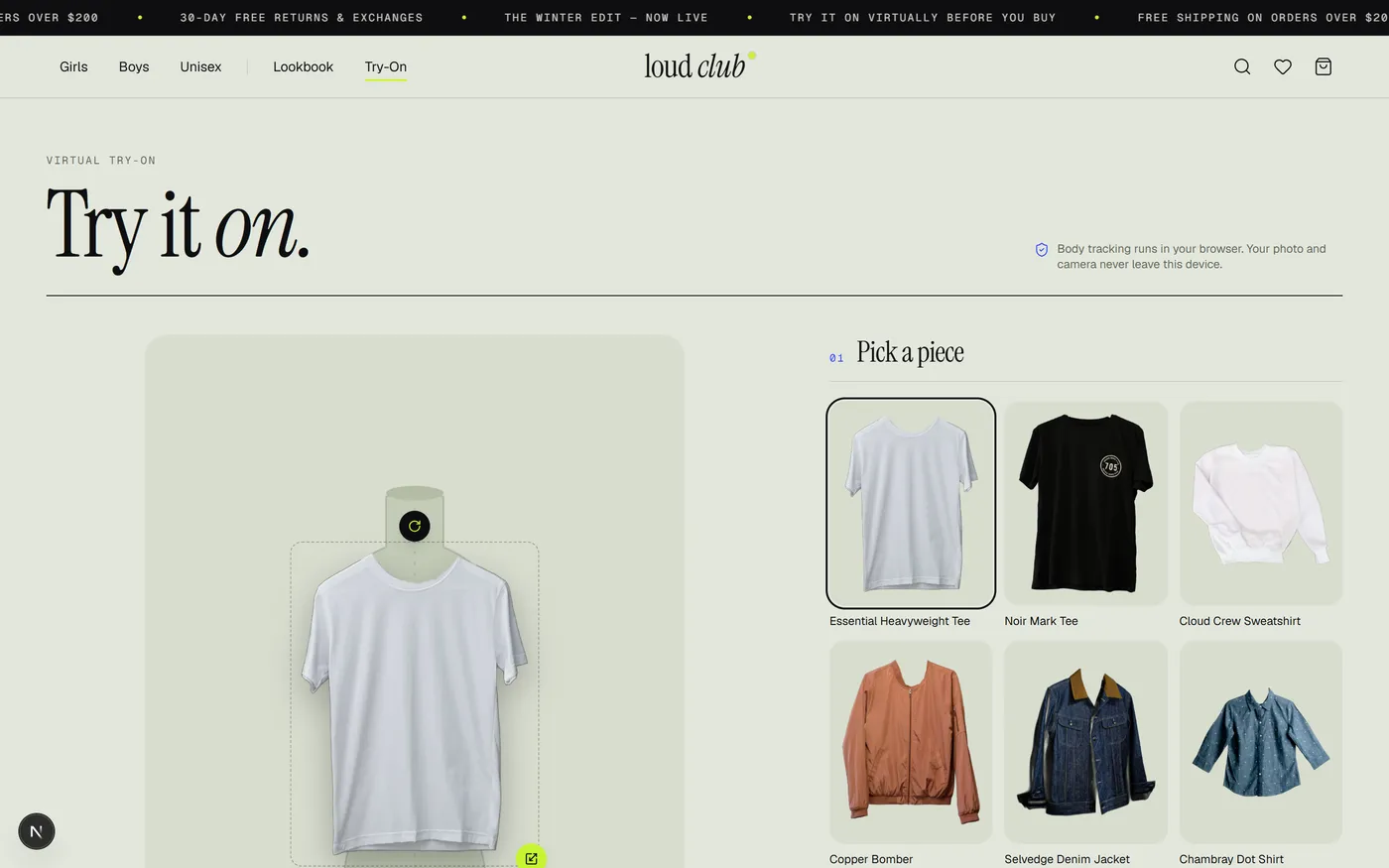
Virtual Try-On, Default View — before a photo or camera is used, the garment previews on a proportionate dress-form silhouette so the studio is never empty.
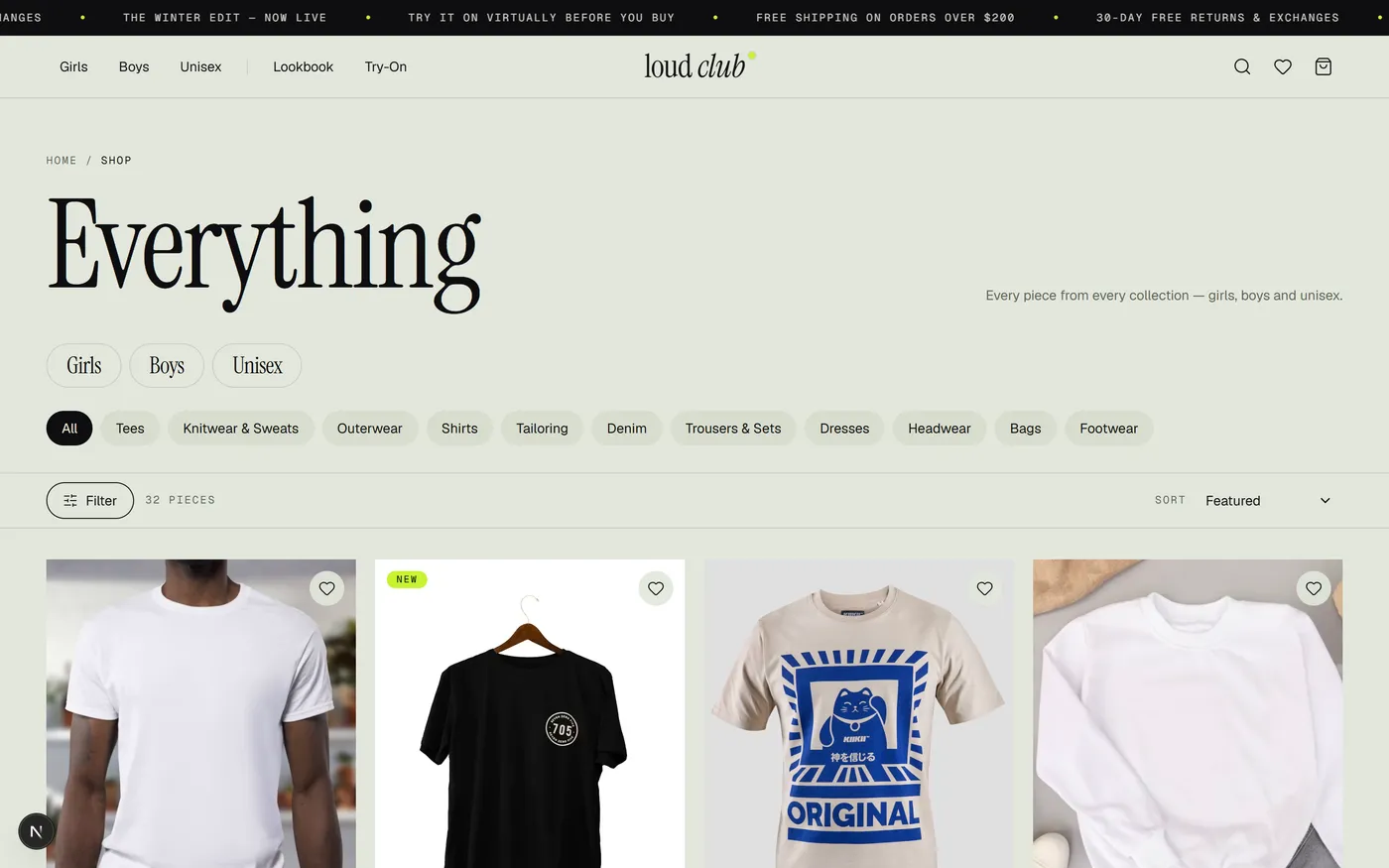
Shop — all 32 pieces with collection and category chips, a live piece count and sort menu, and a wishlist heart on every card.
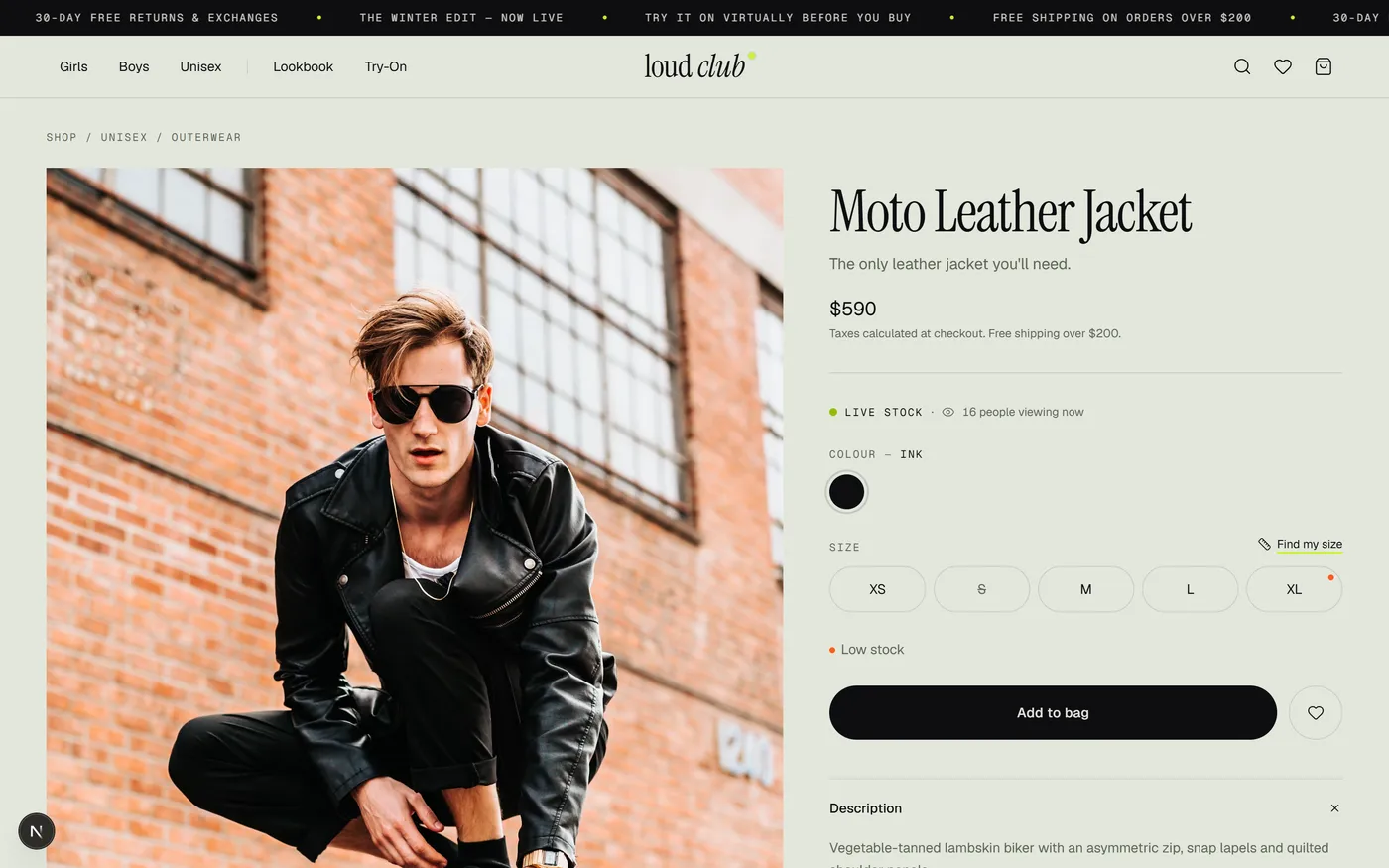
Product Page — live stock and viewer count, colour swatches, a size picker that flags the recommended size and low-stock sizes, and a one-tap "Find my size" link into the recommender.
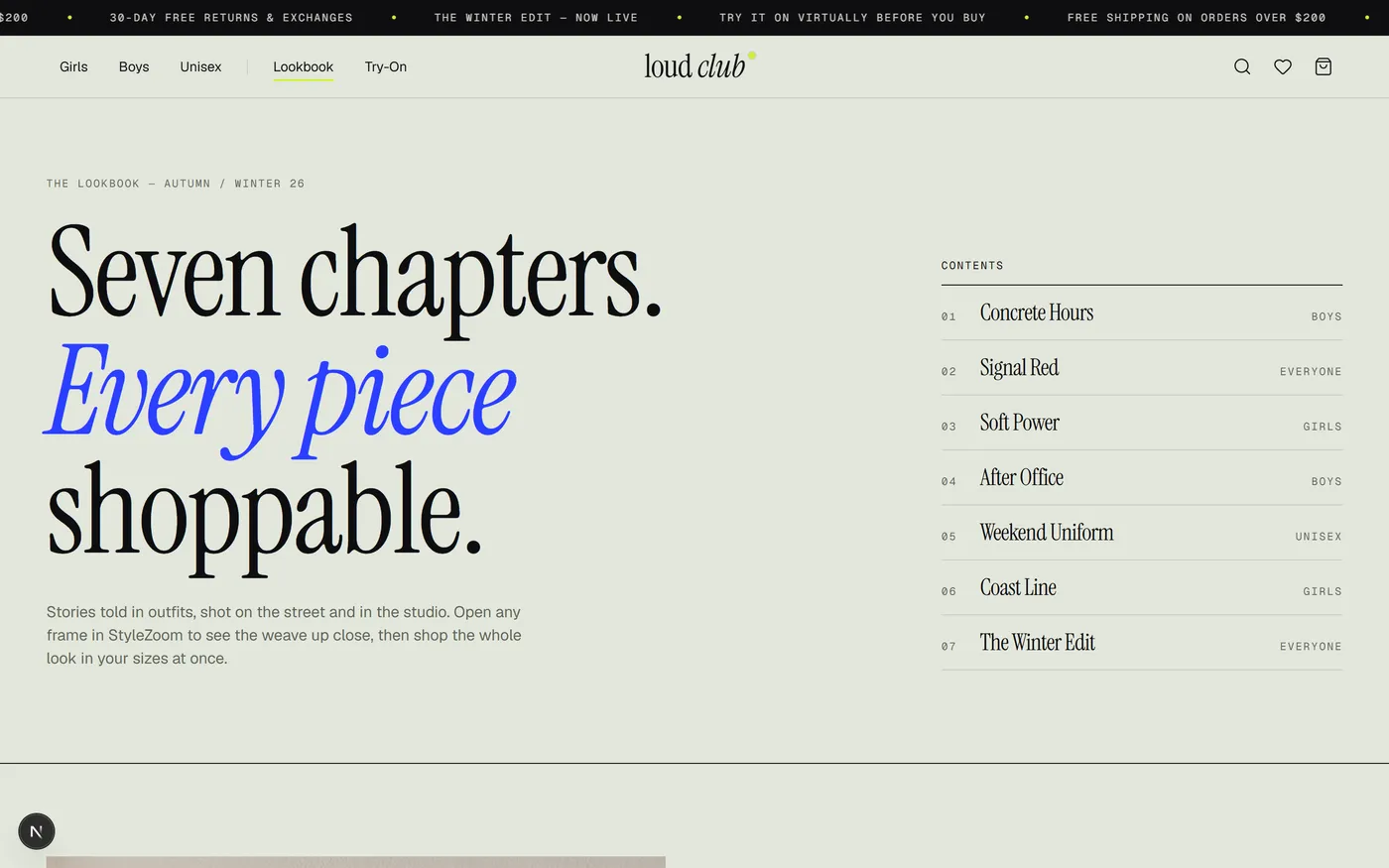
Lookbook — seven editorial chapters, each tagged to its audience (Boys, Girls, Unisex, Everyone) and linking straight through to the pieces styled in it.
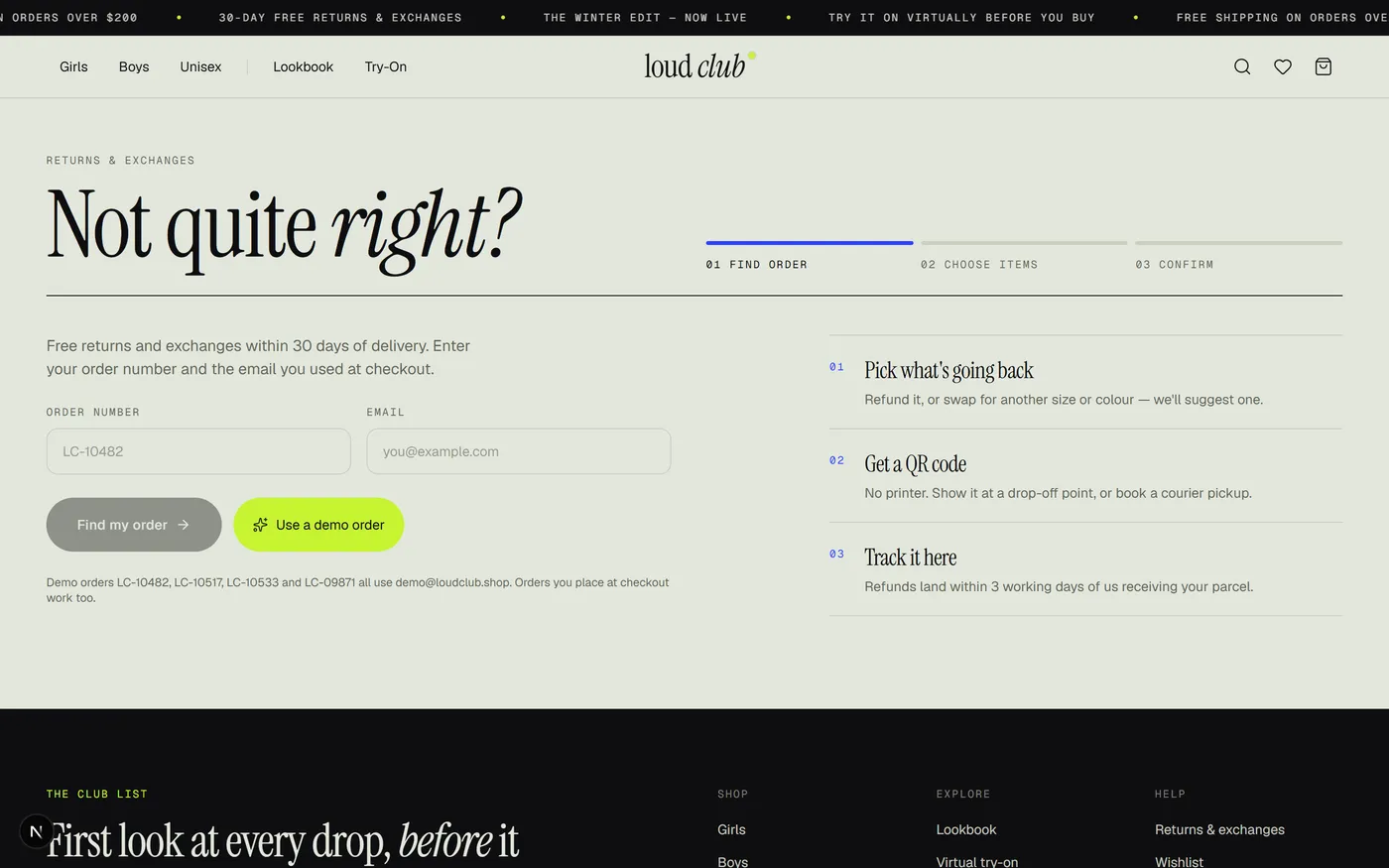
Returns & Exchanges Portal — a 3-step self-serve flow (find order → choose items → confirm) that ends in a QR code, no support ticket required.
Key Engineering Decisions
Real Pose Detection, Not a Filter
The try-on studio runs Google's MediaPipe Pose Landmarker Lite as WASM in the browser, requesting a GPU delegate and falling back to CPU if it's unavailable. Of the 33 body landmarks it returns, only the two shoulder points are used, each required to clear a 50% visibility-confidence threshold before a fit is attempted.
Geometry, Not a Sticker Overlay
fitPlacement() solves for the rotation, scale and offset that lines up a garment's own pre-measured shoulder-seam points with the detected body's shoulder vector — real trigonometry (atan2, hypot) run every frame, so the jacket rotates and scales with the body instead of just following an x/y position.
Live Camera Tracking With Smoothing
A requestAnimationFrame loop re-detects pose on every eligible frame and blends the new placement into the current one with exponential smoothing, so the garment doesn't jitter as the shopper moves. A facing-camera check rejects side-on poses the flat cut-out can't represent, with a clear on-screen prompt instead of a broken fit.
Privacy by Construction
Both the pose model and the frame processing run entirely client-side — no photo or camera frame is ever uploaded anywhere. That's stated directly in the try-on UI itself ("your photo and camera never leave this device"), not buried in a privacy policy.
Anthropometric Size Recommender
recommendSize() regresses height and weight into an estimated chest/waist per cut (girls vs. boys), shifts the target by the shopper's stated fit preference, and returns a confidence score plus an alternate size with a stated reason ("size up for a roomier drape"). The saved profile is reused automatically on every product page.
Live Stock as a Diff, Not a Copy
useStockStore only holds overrides on top of a deterministic seeded baseline, so the very first client render always matches the server. A background tick simulates sales and restocks, favouring whatever a shopper is currently viewing or has an alert on, so changes feel relevant rather than random.
Returns Modelled as Pure Domain Logic
eligibility(), unitRefund() (order-level discount shared pro-rata across lines) and returnedQuantities() are plain functions with no React or store dependency — a return's refund math, deadline and partial-return tracking can be reasoned about independently of any UI.
Hydration-Safe Persisted State
Six independent Zustand stores persist cart, wishlist, fit profile, returns and orders to localStorage. A useHydrated() hook renders a stable placeholder until the client has caught up, avoiding the classic server/client mismatch that comes from reading browser-only storage during render.
Deep Dive: The Virtual Try-On Studio
The try-on studio (lib/pose.ts + lib/try-on.ts) is the most technically involved part of the codebase — real computer vision running client-side, with the placement maths kept entirely separate from the React that renders it.
| Backdrop | How Fitting Works |
|---|
| Dress form | A hand-authored SVG silhouette with fixed "shoulder joints" used as the default backdrop, so the studio always shows a fitted garment even before a shopper provides a photo |
| Sample model / your photo | Pose is detected once against the still image; if no front-facing shoulders are found, the garment parks mid-frame with a "drag it into place" prompt instead of failing silently |
| Live camera | Pose is detected on every eligible video frame and the placement is smoothed frame-to-frame; a "take photo" snapshot freezes the current frame back into the still-image path |
Garments Carry Their Own Anchor Points
Each try-on-enabled product has a background-free cut-out plus hand-measured shoulder-seam coordinates and an aspect ratio. fitPlacement() computes the affine transform between those points and the body's detected shoulder vector — width, rotation and an offset that keeps the garment's shoulder midpoint lifted correctly above the joints, not just centred on them.
Manual Fine-Tune Never Fights Auto-Fit
Size, rotation and opacity sliders write to the same placement state the auto-fit produces, and any manual drag switches the fit status to "Placed by hand" — so a shopper can always override the computer vision without the two fighting each other on the next re-render.
The Model Downloads Only When Needed
The ~10 MB WASM pose model is pre-loaded the moment a shopper picks a photo or camera backdrop — not on page load — so visitors who never open the try-on studio pay nothing, and visitors who do get a head start before their image is ready.
A Saved Look Is a Real PNG
"Save look" composites the backdrop and the positioned garment onto a canvas and downloads it as an image, mirroring the front camera correctly so a selfie-taken try-on doesn't save flipped.
Challenges and How They Were Solved
Fitting a flat garment photo to a moving body without it looking pasted-on
Pre-measured shoulder-seam anchor points per garment, combined with the same affine-fit maths for both stills and live video, so scale and rotation always track the body — not just an x/y position.
Live camera performance
One requestAnimationFrame loop per session, timestamp-guarded so duplicate video frames are never re-processed, with exponential smoothing instead of raw per-frame jumps.
A 10 MB model that shouldn't tax every visitor
The pose model is pre-loaded on first backdrop interaction rather than on page load, so browsing shoppers who never try the feature never download it.
Side-on poses a flat cut-out can't represent
An isFacingCamera() check rejects poses where the detected shoulder span collapses, surfacing a clear "face the camera and step back" message instead of a warped fit.
Stock that feels alive without breaking hydration
An overrides-only store on top of a deterministic seeded baseline keeps the server render and the first client render identical, avoiding hydration warnings while still ticking live moments later.
Outcomes
32
Products across 11 categories and 3 collections, all statically pre-rendered
~8,800
Lines of TypeScript/TSX across 51 statically generated pages
33
Body landmarks tracked per frame by the on-device pose model, live in real time
0
Lint or type-check errors in the production build
Honest Limitations
Stated deliberately, because a project that hides its limitations is worth less than one that states them:
Front-end only — there is no backend or database; cart, wishlist, fit profile, orders and returns all live in the browser's localStorage.
Payments are simulated — no real card processor is connected, and order placement simulates network latency.
Live viewer counts and stock changes are deterministic demo data, not real traffic or real inventory.
Try-on fits shoulders only — it doesn't model drape, cloth physics or full-body pose, and works best with a single front-facing, well-lit subject.
No sitemap, robots file or structured data yet — per-page metadata exists, but discoverability tooling wasn't a focus for this demo.
Future roadmap: a real backend and database with authentication, a payment-gateway integration, garment drape/cloth simulation on top of the pose fit, server-side inventory and promo validation, sitemap/robots/structured data, and end-to-end test coverage for the try-on and returns flows.
What This Case Study Demonstrates
- Real computer vision, shipped in a browser tab. On-device pose detection with a genuine geometry-based fitting model, not a pre-rendered filter — and fast enough to track a live camera feed.
- Solve the product's real constraint, not a generic template. For fashion, that constraint is "will this fit me," so it shows up in the try-on studio, the size recommender and the size-flagged product picker — not only in marketing copy.
- Model the domain as pure functions. Placement geometry, size recommendation and return eligibility are all plain, testable functions with no UI dependency, which is what let the rest of the app stay simple.
- Hydration-safe client state needs deliberate tooling when a whole storefront's state lives in the browser —
useHydrated() and an overrides-only stock store are the difference between a smooth first paint and console warnings.
Planning a Fashion Storefront or a Virtual Try-On Feature?
Whether it's on-device computer vision, a size recommender, live inventory or a self-serve returns portal, we're always interested in building commerce experiences shoppers actually trust.